

A business owner looking for a new website might once have typed “web designer near me” and opened a few tabs. Now they might ask a search tool which local studios build sites for estate agents, can integrate a property feed and can help with a redesign. The second question asks for evidence. A homepage can establish who you are, but a service page and a relevant case study can show whether you actually do the work.
That is a useful way to think about AI search. Imagine someone has been asked to explain your business using only what they can find online. Would they know what you do, who you help and where you work? Could they point to a page that backs up what they say? And would that page give a prospective customer enough information to take the next step?
How AI search finds information
Google AI Overviews can appear alongside familiar search results. Google’s AI Mode and tools such as ChatGPT Search can also bring information from multiple sources into a conversational response, with links readers can follow. Google says its AI features can run several related searches as part of answering a question. Someone asking about an estate agency redesign might therefore see sources covering property feeds, valuation forms and migration as well as examples of completed websites.
Google’s guidance is straightforward. For a page to be eligible as a supporting link in its AI features, it must be indexed and eligible to show a snippet in Google Search. The usual SEO foundations apply, and Google requires neither special AI markup nor a dedicated AI text file. Eligibility gives the page a chance to appear. The choice of sources depends on the question and the system producing the answer. Google’s guidance on AI features
Start with the pages that answer buying questions
Pick three questions people ask before they enquire. Listen for details that change the decision. Can the supplier work with our existing software? Do they cover our area? What will we need to supply, and how long does the work normally take? These are often better starting points than a broad list of keywords because they tell you what the page needs to explain.
On our Essex web design homepage, we put the studio’s location, the kinds of websites we build and links to work near the centre of the story. The homepage introduces the studio, while a specialist page can take the reader further. Our page on website design for estate agents goes into property search, feed integration and valuation journeys. Those details help a reader work out whether the service fits their brief.
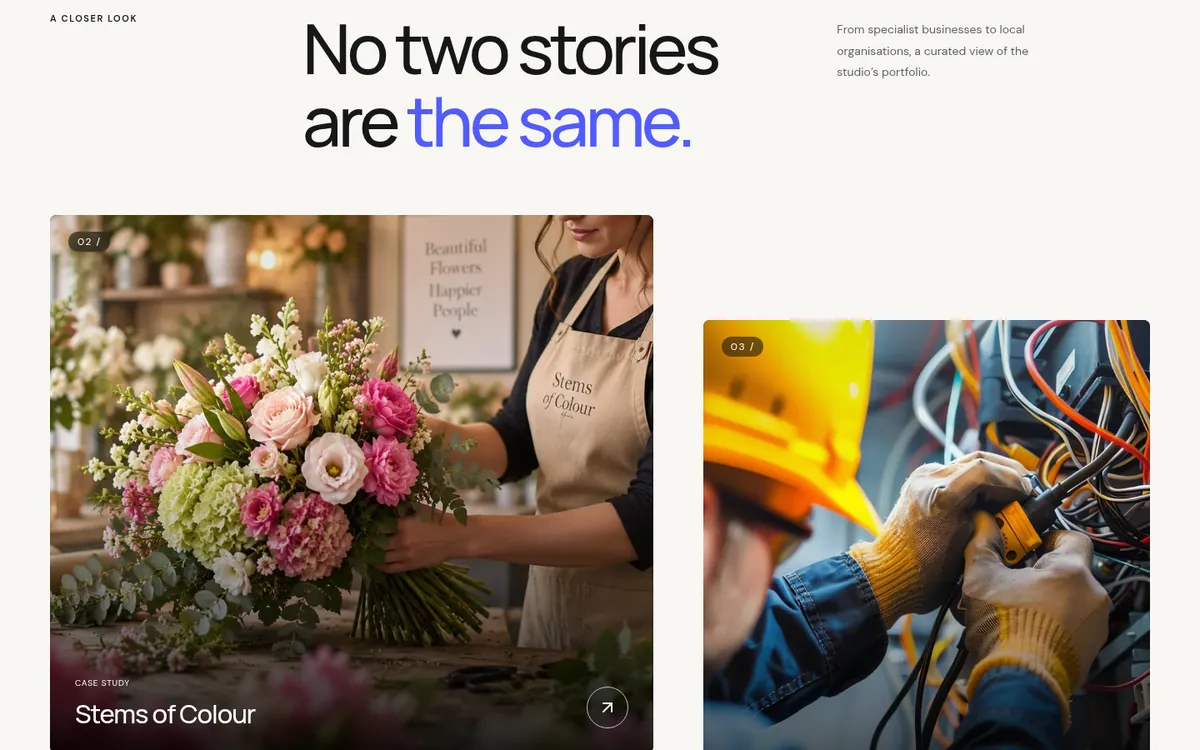
Look for places where a specific answer could replace a vague one. A boarding kennel can explain what owners need to bring, how drop-off works and whether dogs from the same household can share. A commercial electrician can distinguish planned installation work from emergency call-outs and say which sites it covers. When an answer depends on the job, explain what affects it. That helps people ask a better question when they get in touch.
Make sure search tools can read the important parts
Open your main service page on a phone and try to find the service, the coverage area and the contact details. Then ask whoever looks after the site to check how the same page is served to search engines. The key information should be available as text. A flyer image can illustrate an offer, but the dates, terms and booking instructions belong in the page itself. Use headings that describe what follows and descriptive links that take readers straight to the relevant page.
For Google, URL Inspection in Search Console can show whether a page is indexed and which address Google selected as canonical. A live test checks what Google can fetch now. Compare those two views after a redesign, when the indexed version can lag behind the live one. Check that the preferred URL opens successfully, the sitemap lists that address, and any old URL sends readers to the closest matching new page. Follow links from the homepage and navigation as a customer would, especially to pages you depend on for enquiries. Google’s URL Inspection guide
When we rebuilt our own site, we used React with TanStack Start to render the pages on the server. The initial HTML includes the words, headings and links, and React handles interactions such as the portfolio filters in the browser. That was our choice for this build. The same principle applies to an existing site on any platform. Check that a reader or crawler can reach the information that matters and that old links still lead somewhere useful. How we rebuilt the EWDS website
Decide which crawlers you want to allow
Search access and permission to use content for model training are separate decisions. OpenAI documents OAI-SearchBot for surfacing sites in ChatGPT search and GPTBot for content that may be used to train its models. A site can set different rules for each in its robots.txt file. If appearing in search is important to you, check the rule for the search crawler specifically. Ask your host to investigate if a crawler appears to be blocked despite the published rules, since hosting and firewall settings can affect access too. OpenAI’s crawler documentation
At EWDS, our published robots.txt currently allows both OAI-SearchBot and GPTBot. That tells you the policy we publish for those crawlers. The separate question of whether a request gets through is why checking the response from your host matters. EWDS crawler rules
Start by agreeing which pages should be public. Service pages and published case studies usually belong in that group. Client portals and staging copies should sit behind access controls. A robots.txt instruction governs crawling and is a poor substitute for authentication. Keep a short record of your crawler decisions so they can be checked again after a hosting move or a change of platform.
Give people something they can verify
Project pages are a good place to show the difference between a capability and a claim. Describe the brief, the constraint and what you delivered. If you report a result, say how you measured it and over what period. If you have no reliable figures, explain the work itself. A screenshot with a clear caption, a before-and-after example or a description of a tricky integration can tell the reader more than an unsupported promise of better rankings.
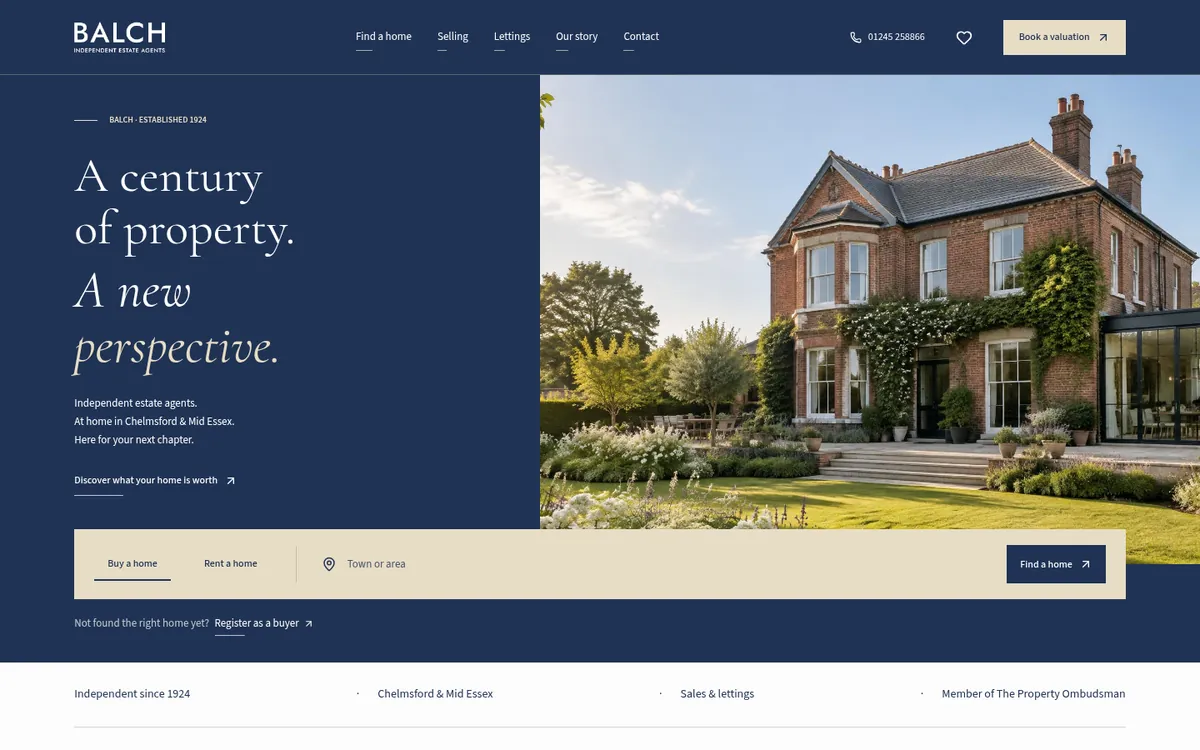
The Balch Estate Agents project in our website design portfolio is an example. The site gives buyers a route into property search and sellers a route towards a valuation enquiry. Those are different tasks, and the case study gives us room to explain them. Think about the equivalent on your site. What would a buyer ask to see before they believed you could handle their project?
For a local business, the basics matter too. Keep your name, contact details, opening hours and service area consistent wherever customers are likely to check them. Review your Google Business Profile when those details change. Link to a service page that explains what you offer in the area and give customers a way to check current details directly. A location page earns its place when it contains something specific to the area, such as a real local project or a service arrangement customers need to know about.
Use structured data to describe what’s already on the page
Structured data gives search engines a machine-readable description of things on your site, such as a business, an article or a product. On the EWDS homepage, for example, we use LocalBusiness and WebSite markup alongside visible details about the studio. The page also explains the services we offer and answers practical questions about pricing, timings and location. The information people can read comes first.
Choose markup appropriate to the page and keep it in step with the visible content. Check it after edits, especially when prices or contact details change. If you’re seeking a Google rich result, check the eligibility rules for that particular feature and test the page. Even valid markup gives Google the option to use it. Whether it appears in a result is up to Google. Google’s structured data guidelines
Measure what people actually do
Start with a small set of questions customers would genuinely ask. Include your business name in some and leave it out of others. For a local service, test questions with a named town as well as broader questions. Record the date, the tool, whether it mentioned you, which page it linked to and whether the description was accurate. Repeat the same checks periodically. A change of wording or location can produce a different answer, so treat each run as a sample.
Use Search Console to watch clicks, impressions and landing pages for important queries. In your website analytics, look for referrals from AI tools where they are identifiable, then check whether those visits reach a contact form, product page or booking step. Keep a separate note of enquiries where customers say they found you through an AI tool. Each source tells you a different part of the story. A citation may help someone research you without generating a visit that your analytics can attribute.
If you make a change, write down the date and the pages affected. That makes it easier to distinguish a site-wide shift from a page that has picked up new impressions. Give the data time to accumulate and look at counts alongside percentages. Two enquiries from ten visits are worth following up, but a small sample can move sharply from week to week.

What to do first
Start with one service and its most useful supporting project. Add the answers your sales team keeps giving, link the two pages where the connection is useful, and check that both are accessible at the intended URLs. Update business details and any markup that describes them. Then set a date to review what Search Console, referral data and customer enquiries show.
If there is a bigger issue to untangle, our SEO services cover technical checks, site structure and content, including how easily search tools can discover and describe a business. Bring one service you want to be found for and a few questions your customers already ask. That is enough to start deciding where the website needs to do more work.